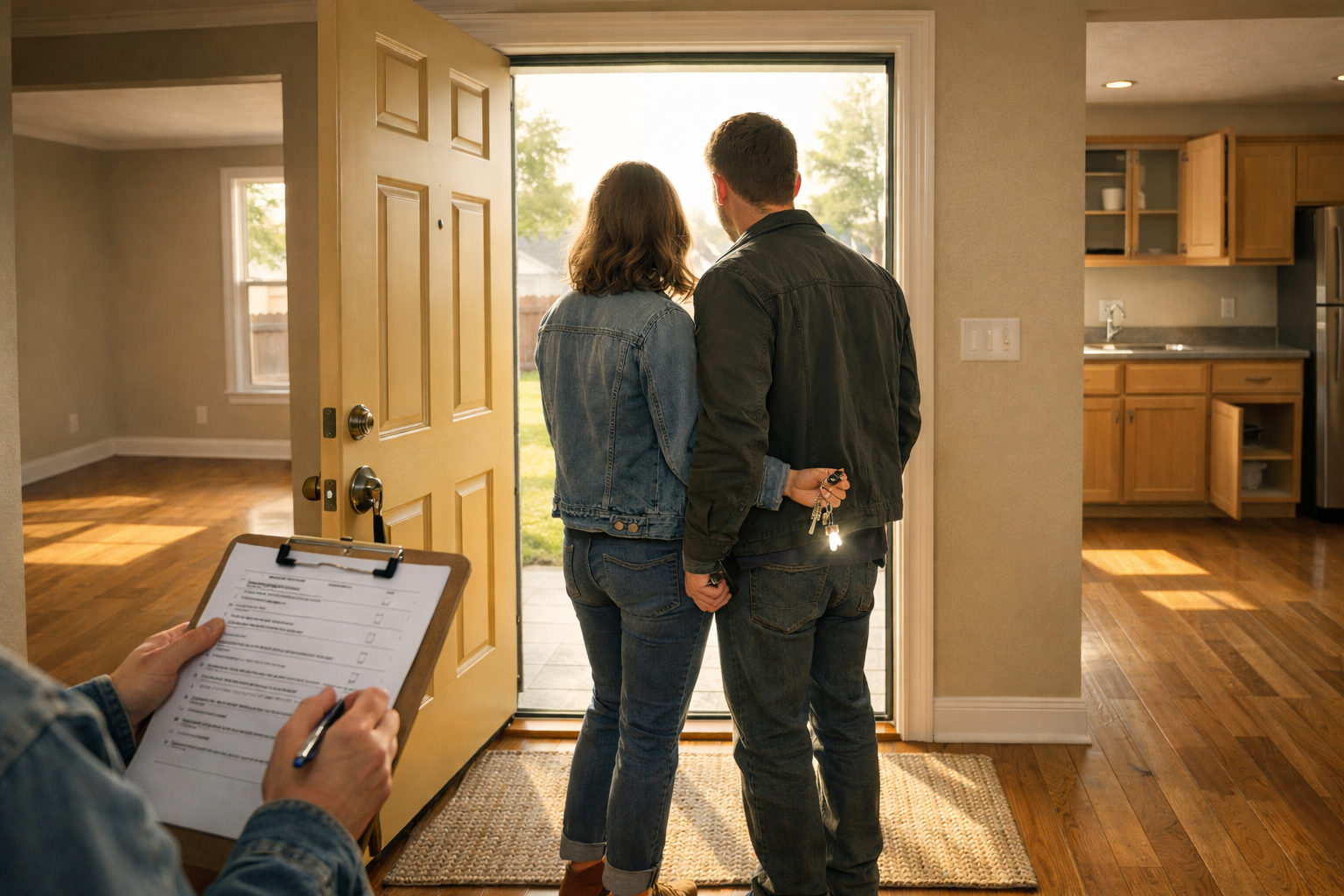
What to Expect at a Final Walkthrough in Jonesboro
What is a final walkthrough, and what should I check before closing on my Jonesboro home?
A final walkthrough is your last in-person look at the home within 24 hours of closing. Your job is simple: confirm the house is in the condition your contract promised, that agreed-upon repairs were actually made, and that nothing new broke between inspection and today.
You made it. The offer is accepted, the inspection is behind you, the appraisal came back, the loan cleared underwriting, and a closing date is on the calendar. There is exactly one step left before keys change hands: the final walkthrough. It is short, it feels informal, and it is the single most underrated moment in the entire buying process.
At NEA Realtor Group's buyer resources, we walk every Jonesboro and Northeast Arkansas buyer through the walkthrough the same way: slowly, methodically, and with a clear checklist in hand. This is not a second inspection and it is not a chance to renegotiate. It is a targeted verification that the house you are about to own is the house you agreed to buy. Below is exactly what to expect, what to check, and what to do if something is off.
When the Final Walkthrough Happens
In Jonesboro, most final walkthroughs happen the day of closing or the evening before. Contracts typically allow the buyer the right to walk through within 24 hours of the scheduled closing, and we usually schedule it so you can drive from the walkthrough directly to the title company if everything looks good.
Timing matters for three reasons:
- It gives the seller enough time to be fully moved out so you can actually see the condition of the home.
- It keeps the gap between the walkthrough and closing short, so there is less time for something new to go wrong.
- It protects you if you need to raise an issue, because there is still a document (the closing statement) that has not yet been signed.
If the seller is still packing during your walkthrough, that is not ideal but it is common in our market. Focus on what you can see, and plan to verify the rest of the home later in the walkthrough once boxes have moved. If the seller has asked for post-possession (staying in the home for a few days after closing), the walkthrough should still happen before you sign, and a separate written agreement should cover the extended stay. Your agent should already have this spelled out.
What a Final Walkthrough Is (and What It Is Not)
The walkthrough has a narrow purpose. You are checking three things and only three things:
- Agreed-upon repairs were completed. Anything the seller agreed to fix during inspection negotiation should now be done, with receipts or documentation when possible.
- The home is in substantially the same condition as when you went under contract. No new damage, no missing fixtures, no surprises.
- Everything the contract says should be included is still there. That means appliances, window treatments, light fixtures, garage door openers, and anything else specifically listed in your offer.
A walkthrough is not a do-over of the home inspection. You are not crawling under the house, pulling off vent covers, or testing every outlet with a meter. You are verifying, not re-inspecting. That distinction is important because it keeps the visit short and keeps the conversation focused.
Your Room-by-Room Walkthrough Checklist
Bring a printed list. Do not try to remember everything. Here is what we have every buyer work through, in order.
Exterior and approach:
- Walk the full perimeter. Look for new cracks, fresh water staining, damaged siding, or anything that was not there on the day you went under contract.
- Check the roof line from the ground for obvious issues (missing shingles, lifted flashing).
- Open and close the garage door with the opener the seller is leaving behind. Confirm both the wall button and the remote work.
- Test exterior hose bibs (outdoor faucets) if weather allows.
- Confirm the yard is free of debris, abandoned items, or anything the seller should have removed.
Entry, living areas, and hallways:
- Check the front door lock with the key you will be receiving. If you are not given a key at closing, plan to rekey right away.
- Flip every light switch. Missing bulbs are fine; dead circuits are not.
- Look at the floors. Are there new scratches, dents, or stains that were not there at the last showing or inspection?
- Confirm any agreed-upon paint, drywall, or trim repairs are visible and finished.
Kitchen:
- Run the dishwasher through a short cycle or at least start it long enough to confirm it fills and drains.
- Turn on every burner on the range and the oven. Check the vent hood or microwave fan.
- Open the refrigerator and freezer. Listen for the compressor, look for interior damage, and confirm the ice maker is hooked up if it was before.
- Run hot and cold water in the sink. Check under the sink for leaks. Flip the garbage disposal on for a few seconds.
- Open every cabinet and drawer. Look for items the seller left behind that should have been removed.
Bathrooms:
- Flush every toilet. Confirm they refill and do not run continuously.
- Run hot and cold water in every sink and tub. Check the shower. Look under the vanities for leaks.
- Check exhaust fans.
- Verify any moisture-related repair items from the inspection (caulking, grout, small leaks) were addressed.
Bedrooms and closets:
- Open every closet door. Look inside for damage or items left behind.
- Check windows: open and close at least one in each room, and confirm locks work.
- Verify ceiling fans turn on and run without wobble, if they are staying.
Laundry room and utility areas:
- If the washer and dryer convey, confirm they are still there and functioning.
- Check the water heater area for any sign of new leaks.
- Look at the HVAC unit and thermostat. Turn the system on. In an April Jonesboro closing, test both heat and cool briefly since we can swing 40 degrees in a week.
- Confirm the filter has not been pulled or left disconnected.
Attic, crawlspace, and garage (quick visual only):
- Pop your head into the attic hatch if accessible and look for new water staining around penetrations.
- Glance into the crawlspace only if it is easy to access. You are looking for obvious standing water, not doing an inspection.
- Walk the garage and confirm nothing was left behind that the seller was supposed to remove.
What to Bring With You
A short list of tools and paperwork makes the walkthrough smoother and more defensible if you need to raise an issue:
- A copy of the signed purchase contract with the list of included items.
- The inspection report and the final list of repair items the seller agreed to complete.
- Receipts or paperwork the seller has provided for any licensed work (roof, plumbing, HVAC).
- Your phone for photos and video. Record short clips of anything that concerns you.
- A phone charger (to test outlets), a flashlight, and a simple outlet tester if you have one.
- Your agent. You should never do a final walkthrough alone on a purchase. Both of us at NEA Realtor Group make sure a buyer always has backup in the room for this step.
If You Find a Problem
Most walkthroughs turn up nothing at all. When something does come up, it usually falls into one of three buckets, and each one has a different playbook.
Bucket 1: An agreed-upon repair was not done. This is the most common issue. The fix is to document it, notify the seller's agent immediately, and request one of three outcomes: the repair is completed before closing, closing is delayed a day or two to get it done, or a credit is applied at closing so you can handle the repair for yourself. According to National Association of REALTORS research, closing delays are not unusual and are often resolved within a few business days. We treat a day or two of delay as a far better outcome than signing and inheriting a problem.
Bucket 2: New damage. If something was broken or damaged during the seller's move out (torn carpet from an appliance dolly, a gouge in drywall, a scratched floor, a broken fixture), you are entitled to have it addressed. Photograph it, tell your agent, and ask the seller to repair it or credit you for it. In our experience, these issues are almost always resolved at the closing table with a credit because that is the cleanest path for both sides.
Bucket 3: Something included in the contract is missing. A missing refrigerator, a missing chandelier, or missing window treatments that were supposed to convey are a contract issue, not a negotiation. Let your agent know, and ask that the item either be returned before closing or credited. Do not try to handle it yourself by texting the seller directly.
What you should not do is stay silent to keep the peace. Once you sign at the closing table, your leverage is essentially gone. Small issues at the walkthrough are cheap to fix. The same issues found an hour after closing are yours to absorb. For more on the contract stage leading up to this moment, see our guide on what happens after your offer is accepted in Jonesboro.
How Long a Walkthrough Usually Takes
Plan on 30 to 60 minutes for a typical single-family home in Jonesboro. Larger homes, rural properties, and homes with outbuildings can take longer. Rushing a walkthrough because you are excited or because closing is in two hours is a mistake. Build in a cushion. If you are closing at 2 p.m., do the walkthrough at 11 or 12. That gives everyone time to respond if something comes up.
Weather and season matter too. In April, Northeast Arkansas can swing from warm and dry to heavy rain overnight. Test the HVAC in both modes because cooling season is about to start. Check basements, crawlspaces, and any area with windows for new water intrusion after a storm. This is especially relevant in older Jonesboro neighborhoods where drainage can shift year to year.
Utilities, Trash, and the Handoff
Before the walkthrough, confirm that utilities (power, water, and gas if applicable) are still on in the seller's name. If utilities have been shut off prematurely, you cannot verify appliances, HVAC, or plumbing. That alone is a reason to pause the walkthrough and ask for everything to be turned back on before you proceed. A dark, waterless house is not a complete walkthrough.
Also confirm the seller left the house in "broom-clean" condition. That does not mean spotless, but it does mean empty of personal items, free of trash, and reasonably swept. Floors should be clear, counters should be wiped, and the refrigerator should be empty (if it conveys) or removed (if it does not).
Ask for manuals, garage openers, keys, mailbox keys, pool or fence gate keys, HOA paperwork, warranty documentation on appliances, and any smart home codes or app credentials the seller used. These should be gathered in one spot for you. We coach our sellers to leave a folder on the counter. If you are the buyer, it is completely reasonable to ask for the same.
After the Walkthrough: What Happens Next
If the walkthrough goes well, the next step is closing at the title company. You will sign the loan documents and the deed paperwork, bring a cashier's check or wire for your cash to close, and once the file is funded and recorded, the keys are yours. Most Jonesboro closings take 30 minutes to 45 minutes at the table.
If the walkthrough turned up an issue, your agent will coordinate with the seller's agent to document the resolution in writing before you sign anything. A verbal promise to "take care of it later" is not good enough. Get it in writing, attached to the closing packet, so the fix is part of the record.
If you want a sense of how loan type affects the timing of your closing and walkthrough, our breakdown of Jonesboro and NEA mortgage options for 2026 buyers is a good companion read. Different loan programs carry different verification steps that can push or pull your closing date, which in turn affects when you walk through.
Why This Matters in the Jonesboro Market
Our market is more balanced in 2026 than it was during the rate-shock years, but it is still a smaller market where buyers and sellers often know each other or share neighborhoods. That creates an informal pressure to smooth things over and "just get to closing." Do not let that pressure push you past a problem you can see with your own eyes. A good walkthrough protects everyone: it prevents surprises, it protects the closing from blowing up in the parking lot at the title company, and it gives you confidence that you are buying the house you thought you were buying.
According to Realtor.com housing research, a meaningful percentage of transactions nationwide see at least one walkthrough issue that has to be resolved before closing. Your walkthrough is not pessimism, it is a standard protection built into the contract for exactly this reason.
Trenton Hoggard and Tim Ray have helped hundreds of buyers and sellers in Jonesboro and across Northeast Arkansas get from first showing to handed-over keys. Our five-star reputation on Google reviews is built on exactly this part of the process: the quiet, detail-heavy work of walking a buyer through the final hour before closing so the handoff is clean. We show up early, we bring the checklist, and we do not rush you out.
Ready to Close on Your Jonesboro Home?
If you are closing this week and want a second set of eyes on your walkthrough checklist, we are glad to help. If you are still earlier in the buying process and want someone in your corner from the first offer through the final walkthrough, that is exactly the work we do every day in Jonesboro and Northeast Arkansas.
Call or text us at 870-273-0633. We will answer the phone, we will meet you at the house, and we will make sure the home you are about to own is the one you agreed to buy.
:format(webp):quality(80)/u.realgeeks.media/neahomesearch/team_sidebar.jpg)
:format(webp):quality(80)/u.realgeeks.media/contentcodes2/arrow.png)
:format(webp):quality(80)/u.realgeeks.media/neahomesearch/Market-Report-3.png)